When creating an E-Sign Template, you have the option to select how many signers will be expected. This will allow you to assign template fields to different roles.
Example:
John and Jane Smith are investing jointly. The subscription document requires both John and Jane to sign off on the investment:

Signatures can be assigned to Investor and Investor 2 when creating an E-Sign Template:
- Select Platform from the left menu
- Click Documents
- Click Edit E-Sign Templates
- Choose Create a New E-Sign Template from the drop-down menu
- Use the Are there optional co-subscriber / joint investor fields? drop-down to select Yes
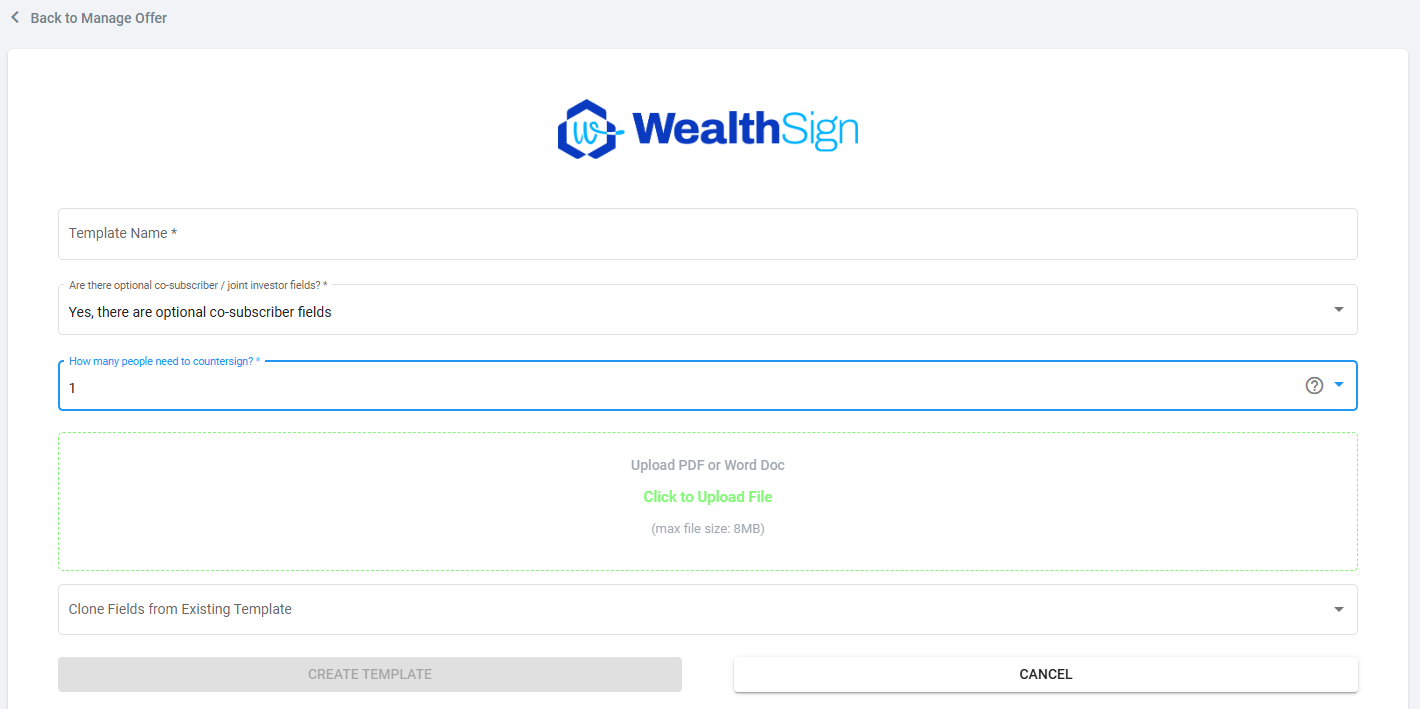
- Once you upload the document, you will see the option to assign to 2 investor signers
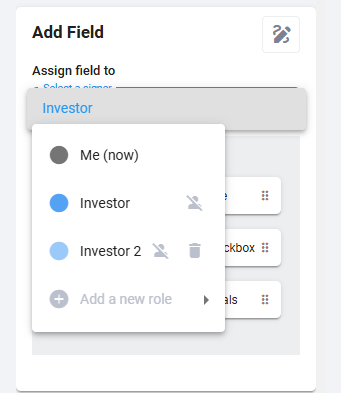
- Add 2 signature fields to the template
- Use the Select a signer drop-down menu to choose the roles for each signature field
- Save
Once an investor is assigned to a specific role, the signer owner will be set. If John is set to the investor, and Jane is investor 2, John will need to sign before the document is passed to Jane.
REF: E-Sign Setup
Was this article helpful?
That’s Great!
Thank you for your feedback
Sorry! We couldn't be helpful
Thank you for your feedback
Feedback sent
We appreciate your effort and will try to fix the article